See what your code sees
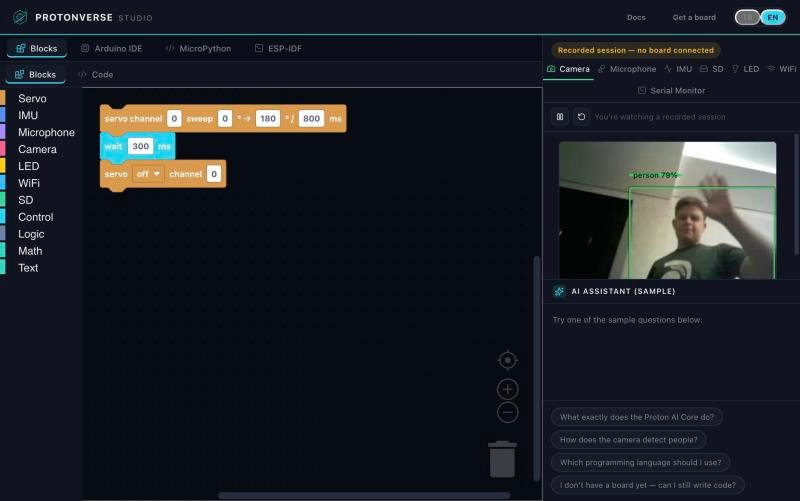
Camera image, microphone waveform, motion data, SD card files, LED and Wi-Fi are on screen while you work. No guessing from a serial log.
Protonverse Studio
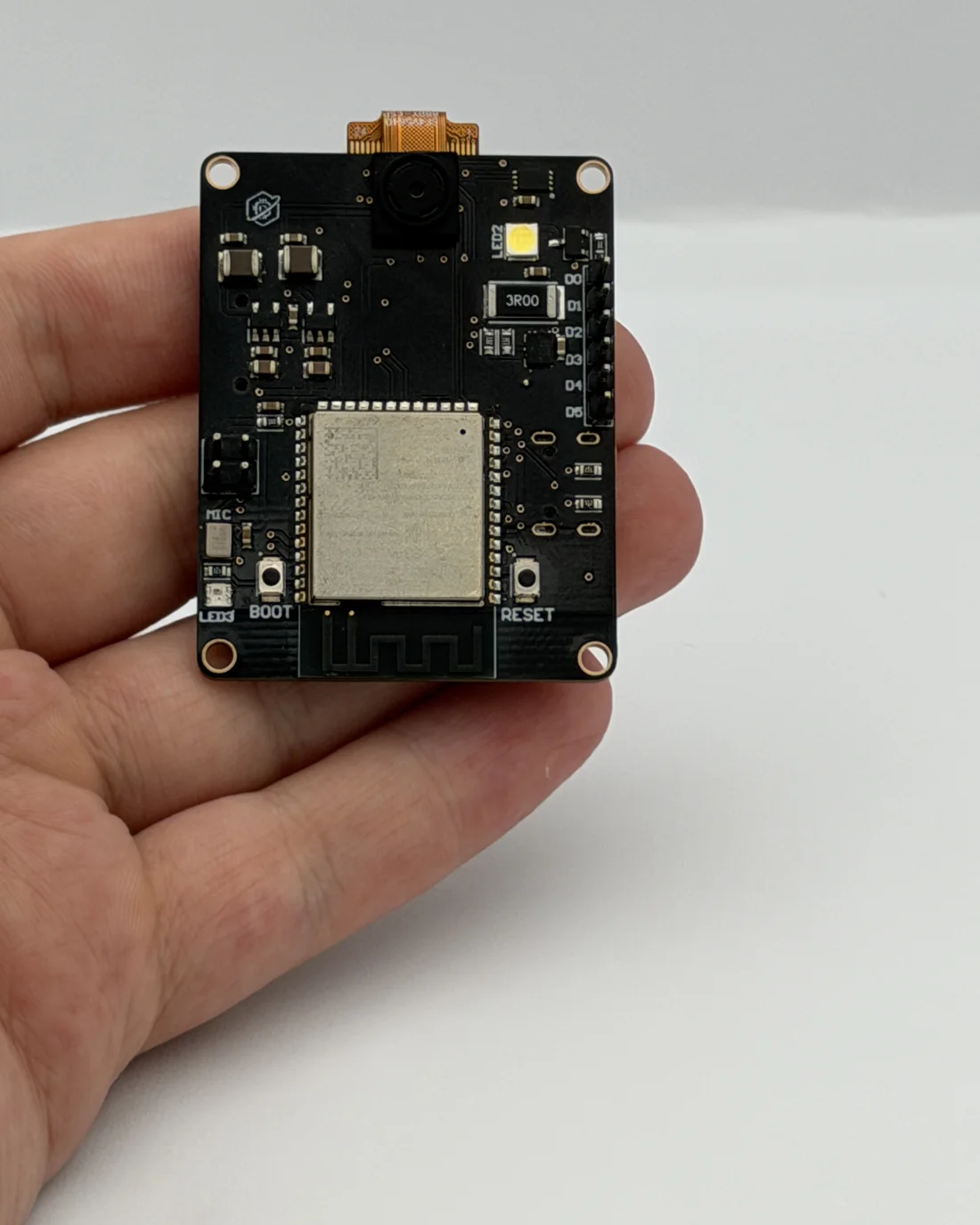
The free development studio for Proton AI Core Vision+. Start with blocks, move to MicroPython, go deeper with Arduino or ESP-IDF, and watch the camera, microphone and motion sensor live while you code.
Free · Runs in Chrome · Nothing to install
One studio, four paths
From a complete beginner to a professional embedded engineer, everyone works on the same board in the same interface.
Block Code
Drag blocks for the camera, microphone, motion sensor, LED, Wi-Fi and SD card. Studio writes the MicroPython for you, so you learn real code while you play.
MicroPython
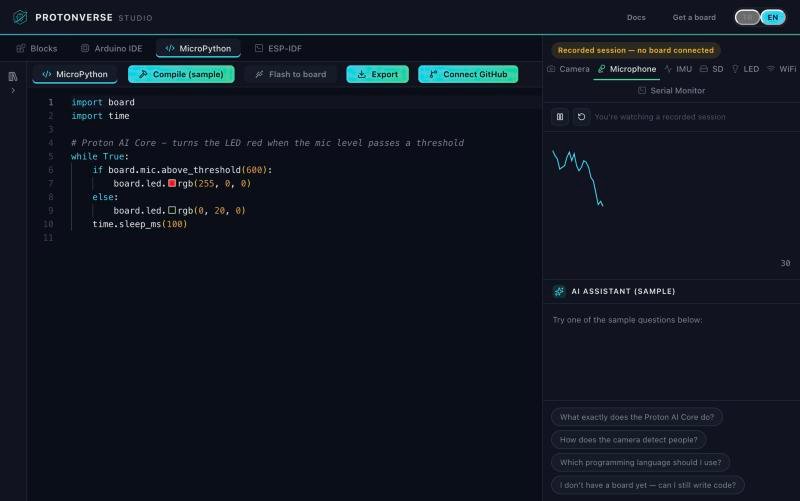
Write Python straight to the board and watch the microphone level, the camera or the motion sensor respond beside your code. Fast experiments, instant feedback.
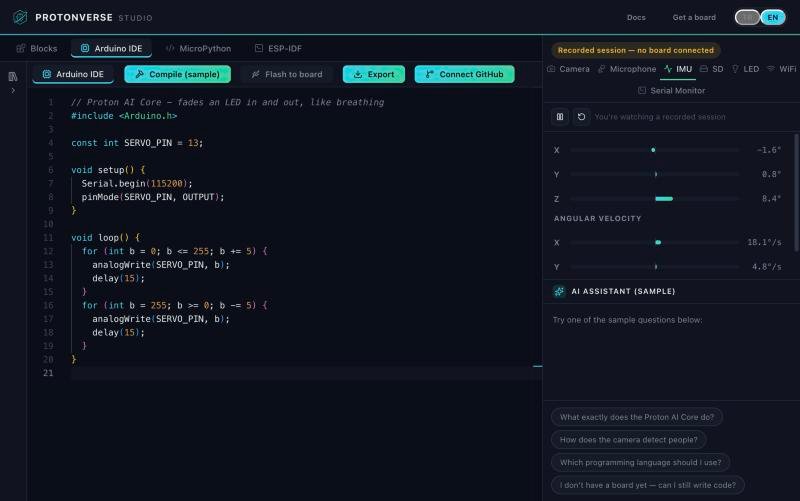
Arduino IDE
Write classic .ino sketches in C++. Studio compiles them with a real arduino-cli and flashes the board, with nothing to install on your computer.
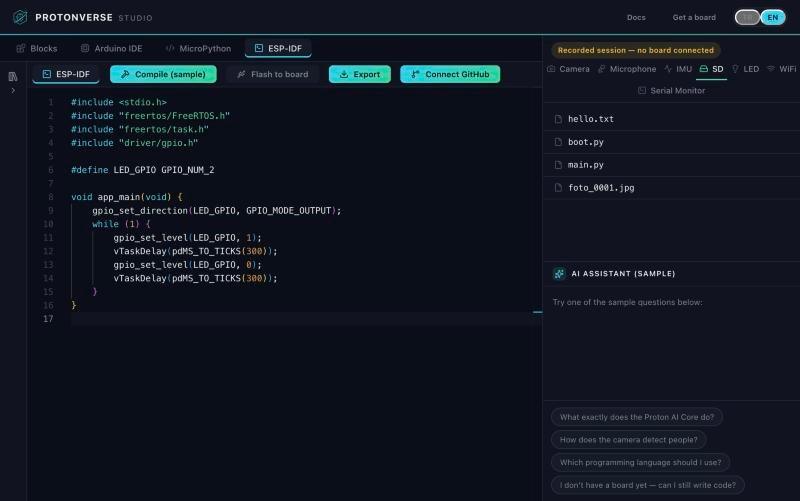
ESP-IDF
Go all the way down to Espressif’s own framework for full control of the ESP32-S3, then export the project or push it to GitHub.
Why Studio
Camera image, microphone waveform, motion data, SD card files, LED and Wi-Fi are on screen while you work. No guessing from a serial log.
Ask a question and the assistant can see the current camera frame along with your code. It helps you write, fix and understand.
Build & Flash produces a real binary and puts it on your board. What runs in Studio is what runs in your project.
A classroom can start with blocks and a professional can stay in ESP-IDF, on the same board and in the same window.
Every mode comes with ready examples. Flash a demo and watch the board work before writing a line.
Studio runs in Chrome and talks to the board over the USB cable. Open the page and you are ready.
How it works
No board yet? The demo plays a recorded session from a real one, so you can explore everything today.
Plug it in over USB. Studio detects it automatically.
Blocks, MicroPython, Arduino or ESP-IDF, each with snippets and the AI assistant.
Camera, microphone and motion data stream together while Build & Flash programs the board.
Launching on Crowd Supply
Subscribe on Crowd Supply and be first in line when the campaign opens.